Readiness reporting and data exports
Know where the catalogue stands, what happens next and what changed.
Preparing passports for a whole catalogue is a project that runs for months. Those responsible need three answers at any time: how far are we, what is blocking us, and who changed what. Reporting on the platform is built from the product records themselves, so it is always current.
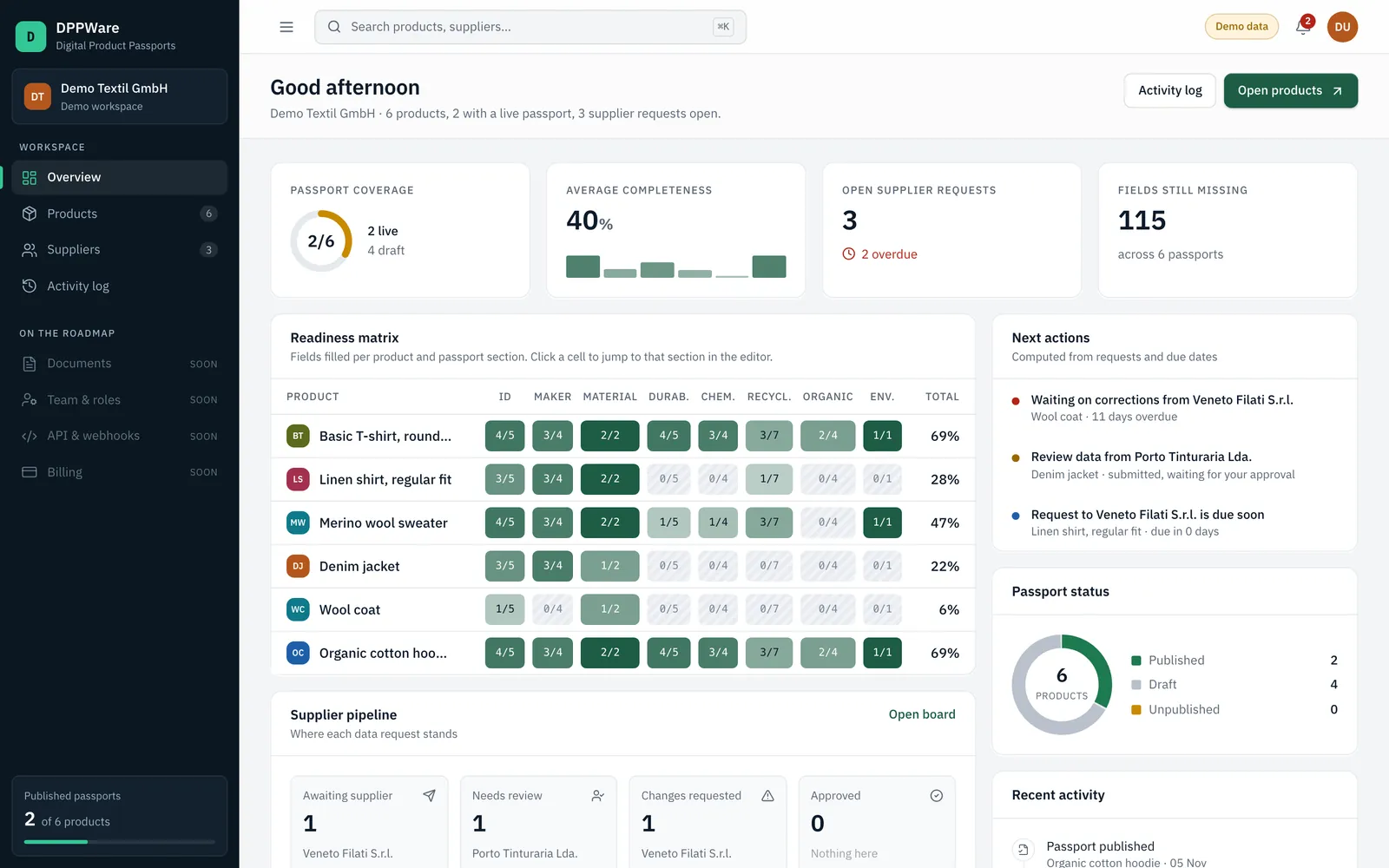
The overview shows passport status and readiness for the whole workspace. From every figure you reach the product, the section or the supplier request behind it.
Functions
What you can do today
- Readiness matrix
- Products against passport sections, with the share of filled fields in each cell. A click opens that section in the editor.
- Passport status
- How many passports are published, in draft or unpublished.
- Supplier pipeline
- Open requests by state, with overdue requests marked.
- Next actions
- A list computed from requests and due dates: what to review, whom to remind, what can be published.
- Activity log
- Every change to a passport and every request step in order, with a timestamp.
- CSV export
- Export selected products with identifier, category, suppliers, completeness, missing fields, status and version.
Process
How it works
Open the overview
The dashboard is the start page of the workspace.
Go to the cause
Each figure links to the product, section or request it is built from.
Export when needed
Select products in the catalogue and export them as a CSV file.
Limits
Limits today
- The CSV export covers the product list. Export of full passport data in structured formats is planned.
- Reports cannot be scheduled or sent by e-mail.
- The activity log records actions in the workspace. As there are no user accounts yet, it does not name the person.
Available: works in the application today. Configured per project: set up together with you. Planned: on the roadmap, not delivered yet.
Related
All platform functions
- Product data managementOne record per product with identifiers, materials, suppliers and completeness per section.
- Digital Product PassportsFill each field, set who may see it and publish a versioned passport.
- Supplier collaborationRequest fields from a supplier by link, review what comes back and approve it.
- QR code and passport publishingA public page and a QR code for every published passport.
Ready to manage your product data more effectively?
Tell us about your organisation, product portfolio and DPP requirements.
Model, batch and item level
Three audiences per field
Versioned publication
Hosted in Germany