QR codes and public passport pages
From the approved record to a page that anyone can open by scanning the product.
A passport reaches its reader through a data carrier on the product, the label or the packaging. In practice this is usually a QR code that opens a web page. Both parts have to be dependable: the code must keep working after printing, and the page must show exactly what has been released.
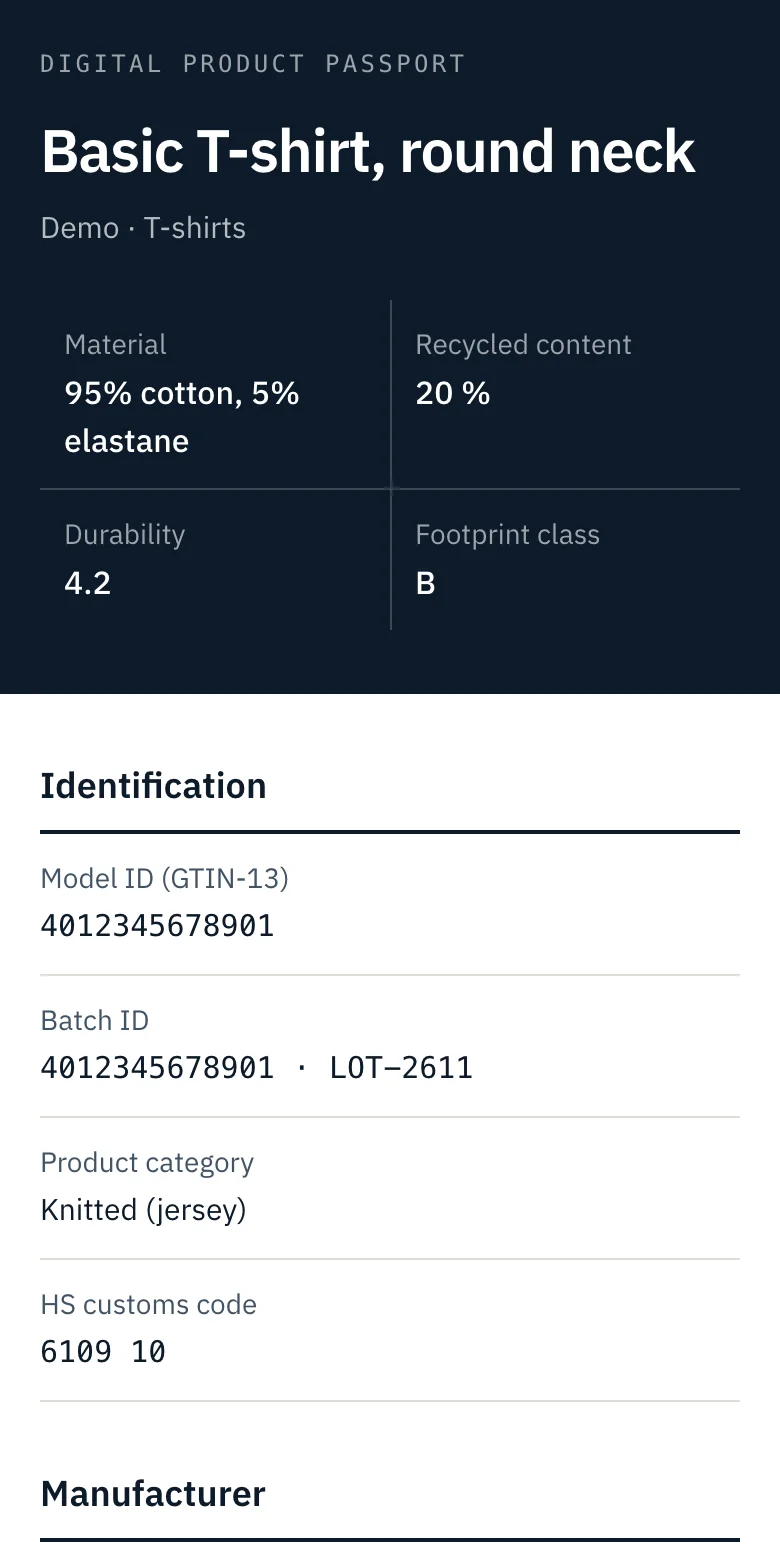
On the platform every product has a fixed passport address and a QR code that points to it. The page behind the address appears when the passport is published and shows the current published version.
Functions
What you can do today
- Download the QR code
- As SVG for print or as PNG at 1024 pixels, from the product page.
- Print before you publish
- The address in the code does not change. It resolves as soon as the passport is published.
- Show only released data
- The public page lists public fields that are filled, grouped by section, with a summary at the top.
- Read it on a phone
- The passport page is designed for the small screen on which a scanned code is opened.
- Update without reprinting
- A new version replaces the content behind the same address. The page states the version.
Process
How it works
Publish the passport
Publishing is possible once all required public fields are complete.
Place the code
Download the QR code and hand it to packaging or label design.
Maintain
Change the data, publish again, and the same code shows the new version.
Limits
Limits today
- The QR code contains a plain web address on our domain. Addresses in GS1 Digital Link form and custom domains are scoped in a project.
- The public page uses the platform design. Custom branding is planned.
- One code exists per product record. Codes per batch or per serialised item are scoped in a project.
- The public page is in English.
Available: works in the application today. Configured per project: set up together with you. Planned: on the roadmap, not delivered yet.
Related
All platform functions
- Product data managementOne record per product with identifiers, materials, suppliers and completeness per section.
- Digital Product PassportsFill each field, set who may see it and publish a versioned passport.
- Supplier collaborationRequest fields from a supplier by link, review what comes back and approve it.
- Readiness reporting and exportsReadiness across the catalogue, an activity log and CSV export.
Ready to manage your product data more effectively?
Tell us about your organisation, product portfolio and DPP requirements.
Model, batch and item level
Three audiences per field
Versioned publication
Hosted in Germany